
How AI Transformed the GPU Memory Market in 3 Years
Explore how AI workloads affect VRAM capacity, bandwidth, memory availability, and the choices facing GPU buyers.
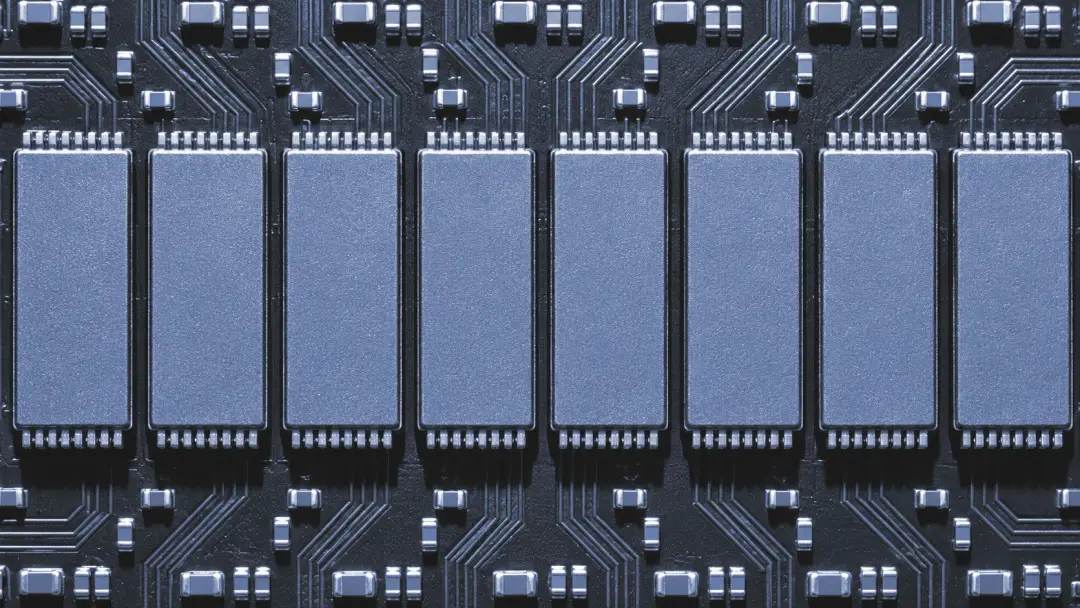
A different kind of pressure on VRAM
Over the past three years, the growth of AI development has changed the conversation around GPU memory. Gaming still depends on fast graphics hardware, but large language models and other AI workloads put their own demands on VRAM: they can need substantial capacity to hold model data and high bandwidth to move that data through the processor.
A GPU performs many calculations in parallel, which makes it useful for more than drawing a scene on your screen. The GPU overview explains the broader role of graphics processors. For AI, the key point is that compute performance matters only if the processor can get data quickly enough to keep working.
The phrase gpu memory ai demand covers two related pressures: fitting a workload into available memory and feeding it at speed. They are not interchangeable. More VRAM doesn't fix bad architecture, but it helps when your model simply won't fit.
Why model size changes the calculation
A language model stores parameters as numbers. As a simple illustration, one billion parameters represented with two bytes each require roughly 2 GB for the parameters alone. A ten-billion-parameter model at the same precision would need roughly 20 GB. These are decimal estimates, not complete memory requirements.
Real workloads need extra space for temporary data and other overhead. Training can require considerably more memory than running an existing model because it must also store information used to update the parameters. Longer inputs and larger batches can raise the memory requirement as well.
There are ways to reduce the load. Quantization represents model data with fewer bits, while distributing work across multiple GPUs can increase the memory available to a job. Both involve trade-offs: quantization can affect output quality, and multiple GPUs need suitable software and fast communication between them.
Before choosing hardware, identify the model, precision, input length, and whether you plan to train or run it. Then check the memory requirements for that exact setup rather than treating a parameter count as a complete shopping list.
HBM and GDDR: capacity is only half the story
Bandwidth describes how much data memory can transfer over time. If a workload repeatedly moves large amounts of data, limited bandwidth can leave processing units waiting. Think of VRAM capacity as the size of a workbench and bandwidth as how quickly materials reach it. A bigger bench helps, but it doesn't speed up every delivery.
GDDR is a family of graphics memory used in many GPUs, including cards intended for gaming and professional work. High-bandwidth memory, or HBM, uses stacked memory dies and a wide interface to provide high bandwidth in a compact package close to the processor. Its packaging is more complex, which affects manufacturing choices.
HBM is attractive for demanding AI workloads, but it is not a universal upgrade you can add to a GDDR card. Memory type is part of the GPU's design. For a particular workload, compare usable capacity and bandwidth alongside software support, power requirements, and the total system cost.
Gaming vs. enterprise is a useful starting distinction, not a rule that predicts performance. A GPU suited to one AI task may struggle with another. Our professional GPU selection guide covers the wider specification choices.
What the AI boom means for supply and prices
Stronger demand for AI hardware can put pressure on the production capacity, advanced packaging, and memory components used by high-end systems. Suppliers cannot instantly expand every stage of that chain. When capacity is tight, buyers may face longer lead times or higher quotes for particular products.
That does not mean every graphics card becomes scarce or that every price moves in the same direction. Enterprise accelerators and consumer cards can use different memory designs and follow different purchasing channels. A silicon shortage in one part of the market should not be assumed to affect every shelf in the same way.
Public prices also vary by configuration and region, and a quote can change. For an accurate comparison, ask suppliers for current availability, the exact memory configuration, and the full system price. Check whether the quoted equipment is actually available rather than relying on a headline price alone.
What buyers should watch next
In the coming years, demand for memory capacity and bandwidth is likely to remain an important design concern as AI workloads develop. More efficient models and lower-precision techniques may reduce the memory needed for some tasks, while larger models or longer inputs can push requirements in the other direction. The balance is uncertain.
For a purchase, start with a representative workload. Record its peak VRAM use and the time it takes to complete a task on hardware you can access. Leave room for the operating system and other applications, and test a realistic input size. Published specifications are useful, but they do not replace a workload test.
Check the physical system too. Power delivery, case airflow, and thermal headroom affect sustained performance. An overclock is not a substitute for enough memory, and a hot GPU won't appreciate being asked to do more in a cramped case.
If you need help with a computer or peripheral equipment, you can review the company's repair services or use the contact page to ask about your situation. This article is general educational information, not a promise of availability, pricing, or performance.
GPU memory questions
Does more VRAM always make AI run faster?
No. More capacity can let a larger model or batch fit in memory, but speed also depends on bandwidth, the GPU, software, and the workload. If the task already fits comfortably, extra capacity alone may not improve its runtime.
Should I wait for future GPU memory?
There is no reliable answer for every buyer. Compare the cost and availability of hardware that meets your current workload against the consequences of waiting. Future specifications, prices, and release timing should not be treated as certain.